
Menu
Close
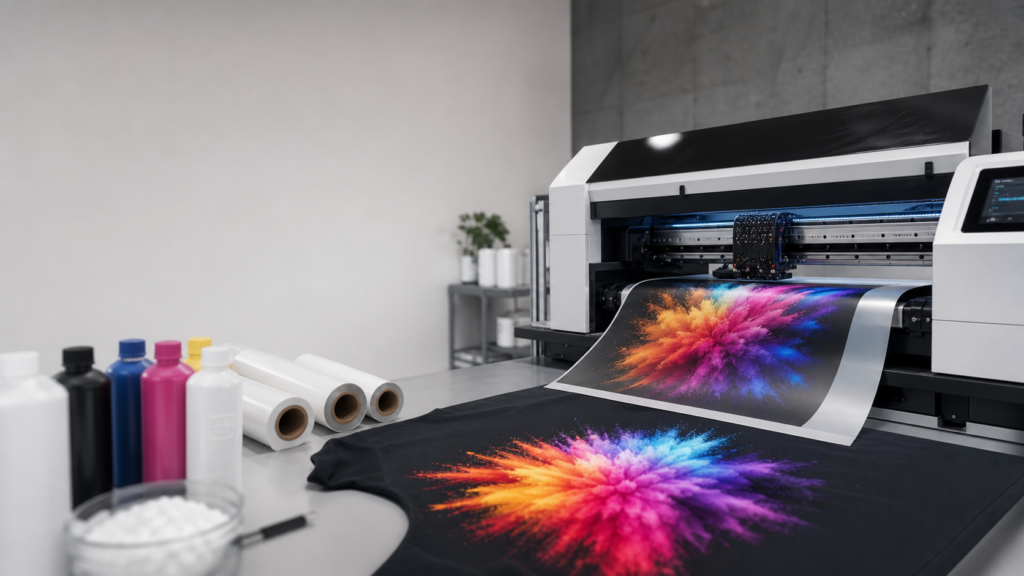
Direct-to-Film (DTF) printing has completely changed the apparel decoration industry. Whether you are running a high-volume machine like our 8-head Kraken or a compact setup like the Artemis, your output is only as good as your maintenance routine. Neglecting your equipment leads to clogged print heads, ruined garments, and expensive downtime. This DTF printer maintenance guide will walk you through the daily, weekly, and monthly steps needed to keep your hardware operating at maximum efficiency and protect your bottom line.
Daily habits dictate the lifespan of your print heads, especially when dealing with white ink. White ink contains titanium dioxide, which settles quickly and causes the vast majority of clogs in digital printing.
Before you send your first print job of the day, check your white ink tanks. Even if your printer features automated white ink circulation and stirring—standard on high-volume models like the Hydra and Kraken—a quick visual check is necessary. Ensure the white ink stirrer motor is functioning properly. If you are operating an entry-level system without an automatic stirrer, gently shake your white ink bottles or use a manual stirrer to ensure the heavy pigment is fully suspended in the liquid.
Never skip the morning nozzle check. Print a test pattern directly onto a scrap piece of DTF transfer film. Inspect the pattern closely for broken lines, missing colors, or color mixing. If you see gaps in the pattern, run a standard print head cleaning cycle through your RIP software, such as Digital Factory v12, and print the test again. Do not start a production run until you have a perfect nozzle check. Pushing a job through with missing nozzles will only result in banded, unsellable transfers.
When production stops for the day, your print heads need protection from the ambient air. Air dries out the microscopic nozzles on your Epson I3200 print heads, leading to severe clogs. Ensure the print head carriage returns securely to the capping station. Apply a few drops of a dedicated DTF general-purpose cleaning solution or daily wetcap solution directly into the capping station. This creates a humid seal that keeps the print head environment moist overnight.
Once a week, you need to clear out the accumulation of waste ink and environmental dust that builds up during regular production. Setting aside 15 minutes a week for these tasks prevents hours of troubleshooting later.
The wiper blade is responsible for physically wiping excess ink off the bottom of the print head. If the blade itself is dirty, it will push dried ink back into the nozzles. Put on a pair of nitrile gloves, take a wide DTF cleaning swab, and dip it in cleaning solution. Gently wipe down both sides of the wiper blade. Next, clean around the rubber seal of the capping station. A clean seal ensures the station can pull an airtight vacuum during automated head cleanings.
High-volume print shops generate a significant amount of waste ink. Check your waste ink bottle or tank weekly. Empty it before it overflows to prevent massive spills that can damage electrical components, such as your mainboard or capping station sensors. Inspect the waste ink pump and check the attached tubes to ensure there are no blockages.
Your DTF printer works in tandem with your powder shaker. Loose adhesive powder buildup causes uneven application and heating issues. Turn off the equipment and vacuum the inside of the duster box. Clean the mesh heat belt to remove any melted powder residue that could transfer onto the back of your film. Finally, check your inline filtration system. Replace the activated carbon or HEPA filter elements if you notice restricted airflow or lingering fumes in your workspace.
Monthly maintenance focuses on the mechanical components and the deeper ink delivery system. Keeping these parts clean ensures precise alignment and consistent ink flow.
The print head carriage moves back and forth thousands of times a day. Over time, the factory lubrication wears off, leading to friction, poor print alignment, and premature motor failure. Wipe down the metal carriage rail with a clean, dry cloth to remove accumulated dust. Apply a few drops of specialized rail lubricant, then move the carriage back and forth by hand while the machine is powered off to distribute the oil evenly.
Ink dampers act as a final filter and pressure regulator before the ink reaches the print head. Over time, white ink residue restricts flow inside the damper. Inspect your dampers for heavy buildup. If the mesh screen inside the damper looks fully blocked, or if you are constantly losing nozzles during long print runs despite having a clean print head, you need to replace the dampers. For high-production environments, we recommend replacing ink dampers every three to six months.
The encoder strip is a clear, ruled plastic band that tells the print head carriage its exact location. If it gets smudged with ink or powder dust, your printer will produce blurry prints, double-images, or register carriage errors. Take a clean, lint-free swab, apply a small amount of distilled water or mild cleaning solution, and gently pinch and wipe the strip from one end to the other. Be extremely careful not to scratch the strip or stretch the mounting springs.
Even with a strict maintenance schedule, environmental changes or an idle long weekend can result in a stubborn clog. When standard head cleanings fail, you need the right supplies to recover the head.
Do not use aggressive industrial solvents that can melt the internal adhesives of your print heads. Instead, use formulated solutions designed specifically for DTF inks, such as our Crimson Clog Crusher or PrintheadRevive. You can inject a small amount of this solution directly into the print head manifold using an ink syringe and a soft silicone tube. Let it sit for a few hours to break down the dried titanium dioxide, then perform a heavy cleaning cycle to flush the debris out.
Your physical workspace plays a massive role in equipment performance. DTF printers and adhesive powders require specific climate conditions to function correctly.
Keep your print room temperature between 68 and 78 degrees Fahrenheit. More importantly, maintain a relative humidity level of 45 to 60 percent. If the air is too dry, static electricity will build up, causing ink starvation and making powder stick to areas of the film where there is no ink. If the air is too humid, the adhesive powder will clump in the duster, and the film will not feed smoothly through the rollers. Use a wireless hydrometer monitor to track your room conditions daily, and run a dedicated humidifier or dehumidifier based on your local climate.
Managing a print shop is highly demanding. Establishing a routine reduces friction and keeps your team focused on producing orders rather than fixing machines. Keep spare parts on hand to avoid shipping delays when a simple component fails. Stock up on consumable items like wiper blades, dampers, lint-free swabs, and spare capping stations.
At American Print & Supply, we build partnerships, not just sales. We know that automated tools, like the vision-based Sentinel laser cutter or the high-speed Kraken printer, are only profitable when they are actually running. We back our systems with white-glove installation, hands-on training, and ongoing workflow support to ensure your team knows exactly how to maintain your investment. By following this DTF printer maintenance guide and using premium supplies, you will extend the life of your equipment, maintain brilliant print quality, and keep your production moving forward without interruption.